|
Unlike other similar database solutions, Hydro GeoAnalyst
enables you to expand the scope, size, and structure
of your database at any point in the project, a major
limitation found with other similar database solutions,
and is applicable for projects with data sets ranging
from 10 to 10000 wells.
Hydro GeoAnalyst
provides the following features:
▶Manage
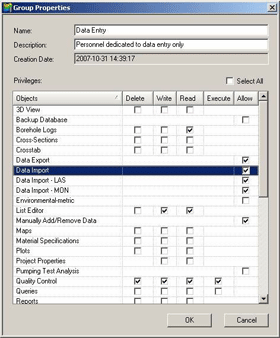
all project properties, client and personnel information
(project name, client name, address, email, telephone,
photo, company logo, etc.)
▶Specify
user-access rights for managers and project personnel
▶Choose
from a wide range of coordinate systems during or after
project setup (UTM, Geographic, State Planar, and many
other country-specific formats)
▶Connect
to SQL Express or SQL Server databases over your local
(LAN) or wide area network (WAN)
|
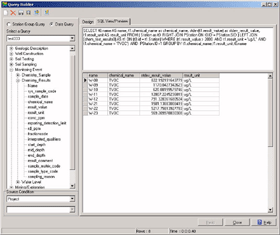
Create
custom SQL queries
|
목록
편집기(List Editor)
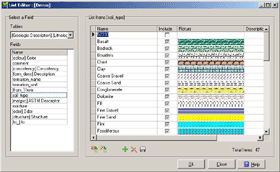
The List Editor allows you to create helpful look-up
lists for any database field within Hydro GeoAnalyst,
reducing the number of typo/errors typically encountered
with manual data entry.
Create visual lookup items using graphics for items
such as annual fill, well casings, rock or soil colors.
Additionally, the List Editor allows importing of look-up
list items from external sources such as Comma separated
(CSV) files, Excel Spreadsheets (XLS), MS Access databases
(MDB), Any other ODBC or OLEDB data sources.
|
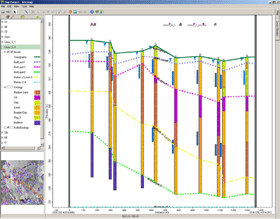
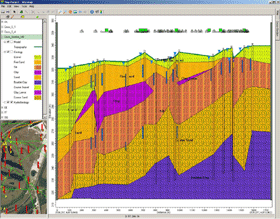
Well
lithology in cros-section
|
쿼리
빌더(Query Builder)
The integrated Query Builder allows you to quickly
assess your data by enabling you to design and execute
simple or complex SQL Statements.
Use the results of your queries as the basis for
map layers, graphs or cross-tab queries. Quickly assess
standard hydrogeological questions or data visualization
requirements such as mapping all boreholes deeper than
a specified depth, mapping pumping wells with pump rates
greater at any given value, reporting groundwater/soil
concentrations, identifying stations with chemical concentration
exceedances.
The Query
Builder provides the following features:
▶Save
any SQL Statement for use on future projects requiring
similar queries
▶Generate
quick statistics from your queries (e.g. AVG, COUNT,
MAX, MIN, STDEV, STDEVP, SUM, VAR, VARP)
▶SQL
View/Preview panel ensures SQL Statements match user
definitions
▶Automatic
validation of SQL statements provides warning for incorrect
syntax
▶Logical
use of expressions and operations make data querying
easy (e.g. >, >=, <=, <, =, < >, !=,
!<, !>, LIKE, IS, IS NOT, BETWEEN, &, !)
▶Edit/modify
SQL Statements directly within the SQL Preview panel
|
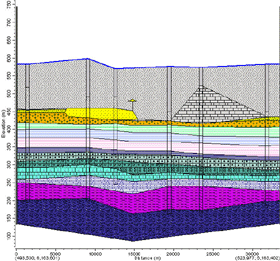
Cross-section
|