필요한 최적의 소프트웨어와 컨설팅을
공급하도록 노력하겠습니다.



| . |
| Earth Volumetric Studio 란 |
|
|
|
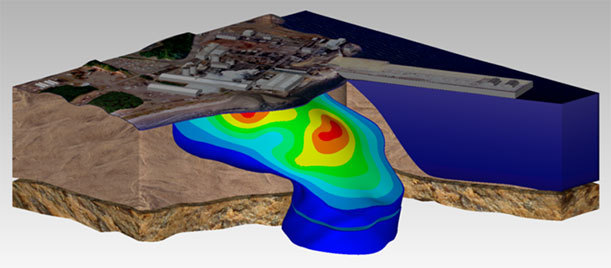
Earth Studio는 EnterVol 개발에 수년간 축적된 새로운 기술을 접목하여 개발한 환경 가시화 및 광산 가시화 전문 소프트웨어입니다. 기존의 EVS 및 MVS의 기반인 모듈 툴킷 패러다임의 인터페이스를 보다 편리하고 효율성 있게 작업할 수 있도록 업데이트하였습니다.
|
|
|
|
Earth Studio는 기존에 판매하던 EVS PRO와 MVS의 모든 기능들을 보다 강력해지고 편리하고 사용이 쉬운 환경으로 통합하였습니다. |
| Earth Volumetric Studio 인터페이스 및 작업 흐름
|
|
기존의 모듈-네트워크 패러다임 사용 방법을 유지하면서, 사용자 환경과 그래픽 인터페이스를 업데이트하여 사용자가 보다 편리하게 사용할 수 있게 하였습니다. 기존의 거의 모든 기능들을 그대로 유지하는 반면, 전체적인 인터페이스는 크게 변경되었는데, 보다 현대적이고 쉽게 사용할 수 있습니다. 아래의 몇 개의 그림들은 새 제품이 어떤 모습인지 미리 보여줍니다
|
|
|
|
|
|
네트워크 편집기 (Network Editor) 개선 |
|
MVS Version 9.87 -
Earth Volumetric Studio -
|
|
제품 전반에 걸쳐, 모듈들과 포트들의 내용에 대한 직접적인 피드백과 정보를 포함하기 위해 많은 노력을 기울였습니다. 객체를 선택 후 마우스 우-클릭했을 때 보여졌던 애매한 정보들 대신에, Earth Volumetric Studio는 모듈들과 포트들에 대한 자세한 정보 뿐만 아니라 모든 객체들에 대한 의미 있는 이름들을 제공합니다 |
|
MVS Version 9.87 - Right clicking on modules provides options in MVS.
MVS Version 9.87 - Module information includes some basic information, but there are no descriptions, and port names are unclear.
Earth Volumetric Studio - Automatic tooltips over ports, with full descriptions and information about port output. In this case, the output is a Field with Node Data, with a full description.
Earth Volumetric Studio - Right clicking provides far more information, in a more organized manner, including the ability to make connections to any other appropriate module.
|
|
보다 복잡한 네트워크를 구성할 때 작업이 보다 쉬워졌습니다. 모든 색상들의 단순화, 그리고 보이는 포트들의 수와 구성이 간소화되었기 때문입니다 |
|
MVS Version 9.87 - Many unused ports are always visible and connections overlap.
Earth Volumetric Studio - Fewer ports are always visible, connections no longer overlap, and simplified colors enhance usability.
|